All courses · Platform Mastery · Claude
Claude for Everyday Work
Claude for Everyday Work is a self-paced AIvanced Academy course (13 lessons, 3h 29m).
Hands-on, safety-first practice with Claude: ask about files, search with sources, set up projects, make documents, connect apps and save skills.
- Length: 3h 29m
- 13 lessons in 4 modules
- Level: Beginner
- Certificate of completion
- Price: $19.99 one-time, lifetime access
Also included with Academy Membership ($29.99/month or $249.99/year) and with a Teams plan. See pricing
About this course
Took Anthropic's Claude 101 course? This is the hands-on, safety-first practice that comes next. New to Claude? You can start here too.
Practice the safety decisions first. You'll check the training switch, clean up what Claude remembers, use incognito chats, set what a connected app may do, say no to hidden instructions, and choose how to share what Claude makes.
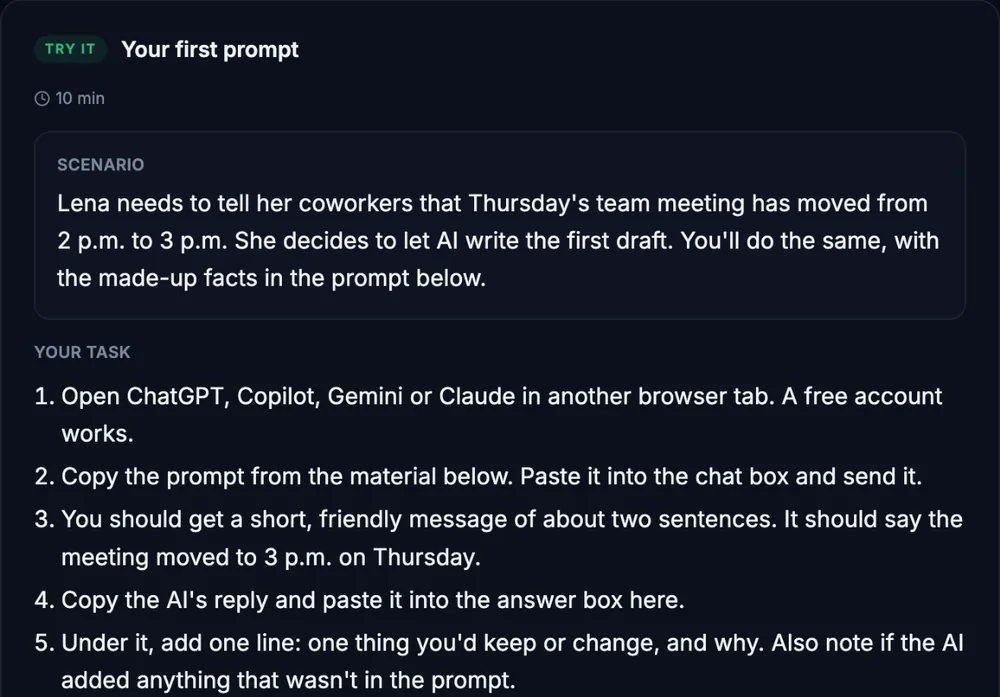
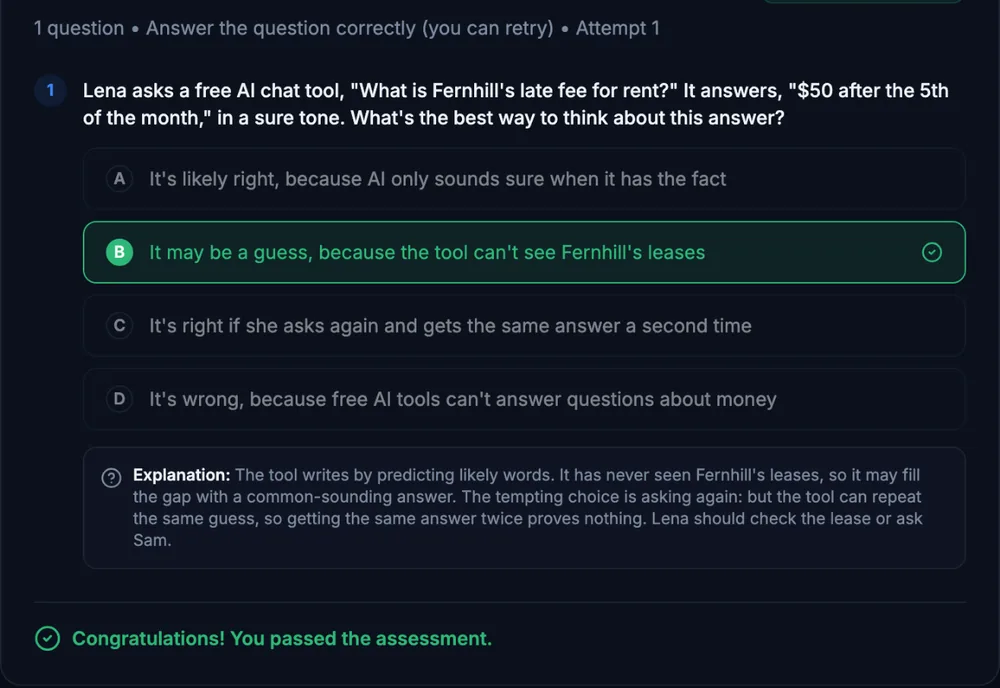
Then practice for real. Every lesson has a hands-on exercise with a checklist and a model answer. You'll also work through a three-step customer simulation and a three-part final project, and earn a certificate.
One small-business story. You'll follow Imani, the office manager at Hollyfern Dog Lodge, a made-up dog daycare. Every exercise uses made-up data, plain language and a copy-ready prompt.
What you need: any Claude account. Every exercise works on the Free plan, or has a clear path if you don't have a paid plan. Some features need a paid plan or an admin to turn them on, and each lesson says what to do if something is missing. Practice with made-up data in any account. Real work information goes only in an account your company approved. No AI tool at all? Every exercise has a path without one.
Before you start: this course is for beginners. If you're new to AI, "AI Foundations: Understanding Today's AI Tools" is a good first step. "Prompting Fundamentals", "AI Privacy, Safety, and Responsible Use" and "AI Workspace Building Blocks: Projects, Artifacts, Skills and Agents" pair well with this course.
Topics: claude, projects, artifacts, connectors, skills, web search, memory, privacy, fact-checking, prompt injection, file uploads, small business
What you'll learn
- Tell which Claude plan and look you have, and what to do if a feature is missing.
- Check the privacy and memory settings that decide what Claude keeps, and use an incognito chat.
- Upload a file, get answers that stick to it, and spot when an answer isn't in the file.
- Use web search, or Research on a paid plan, and check two sources before you trust an answer.
- Set up a project with files and instructions so Claude starts every chat with the right background.
- Make a document as an artifact or a file, check it, and decide who should see it and how.
- Connect an app like Google Calendar, set what Claude may do on its own, and say no to actions you didn't ask for.
- Save a repeat task as a skill and test it, and know when Claude in Chrome or Claude for Excel fits.
What a lesson looks like
Course outline
Module 1: Get Started Safely
- Meet Claude: Which Claude Do You Have? (free preview)
- Safe Use: What Claude Keeps and Who Can See It
- Give It the Page: Ask Claude About a File
Module 2: Find, Organize and Remember
- Web Search and Research: Answers With Sources
- Projects: Give Claude a Reference Shelf
- Guided Check: Memory and Instructions, See What Claude Knows About You
Module 3: Make, Connect and Repeat
- Artifacts: Documents, Slides and Designs You Can Edit
- Connectors: Let Claude Use Your Calendar and Email
- Guided Check: Connected Data and Hidden Instructions
- Skills, Plus a Quick Look at Claude in Chrome and Claude for Excel
Module 4: Put It Together
- Structured Simulation: Desmond Books a Holiday Stay
- Final Practice Exercise: Hollyfern's Fernling Club Launch
- Final Knowledge Check
Start with the free preview lessons, no account required. Questions about buying