All courses · Platform Mastery · General
AI Workspace Building Blocks: Projects, Artifacts, Skills and Agents
AI Workspace Building Blocks: Projects, Artifacts, Skills and Agents is a self-paced AIvanced Academy course (13 lessons, 2h 57m).
Most teams use AI as a simple chat box. Learn the building blocks inside ChatGPT and Claude (projects, artifacts, memory, skills, connectors, and scheduled tasks) and put them together into your first safe, human-approved "AI employee."
- Length: 2h 57m
- 13 lessons in 4 modules
- Level: Beginner
- Certificate of completion
- Price: $19.99 one-time, lifetime access
Also included with Academy Membership ($29.99/month or $249.99/year) and with a Teams plan. See pricing
About this course
Many people use AI tools the same way every time: open a chat, ask a question, copy the answer, and start over tomorrow. That works, but it uses only a small slice of what today's AI workspaces can do.
This beginner course shows you the building blocks behind the chat box, using each product's own names in both ChatGPT and Claude. You will learn how projects give AI a reference shelf, where finished work lives (artifacts, writing blocks, and documents), how to see and control what the AI remembers about you, how skills and plugins package a repeatable task so anyone can run it the same way, and how connectors let AI read your email, files, and calendar, plus when not to connect them. You will also learn how scheduled tasks put AI on a timer and how to start work from your phone.
In the last module you put it all together. You will design "your first AI employee": a skill plus a knowledge base plus a schedule plus approval gates. The worked example is a Context Keeper that drafts a numbered weekly status report (WR-001, WR-002, and so on) for a fictional bike shop, with a person approving anything that goes out.
AI products change often. Features you may remember from older guides and videos, like ChatGPT's canvas, custom GPTs, and ChatGPT agent, or Claude's separate Cowork mode, have been replaced, renamed, or merged. "Then vs. now" boxes explain what changed and why, and the course teaches the durable idea behind each feature so you can recognize it under any new name.
No technical background is needed. Every example uses fictional businesses and people. Each lesson names features as they were in September 2026 and shows you how to check your own plan.
Topics: chatgpt, claude, projects, artifacts, memory, skills, plugins, connectors, scheduled tasks, ai agents
What you'll learn
- Explain the difference between a chat, a project, an artifact or document, and a scheduled task, and recognize each feature's durable idea when a product renames or retires it.
- Set up a project with a useful knowledge base ("reference shelf") and clear project instructions.
- Find, review, and correct the custom instructions and memory your AI tools use, and know when to use a temporary or incognito chat.
- Describe how skills (Claude) and plugins, skills, and custom GPTs (ChatGPT) package a repeatable task, and draft a simple skill as a step-by-step recipe.
- Decide when to connect AI to email, files, or calendar, and when not to, using least access and approval settings.
- Describe how scheduled tasks and phone-started tasks work in ChatGPT and Claude, including what needs your computer to stay on.
- Ask the five key questions about any AI helper: does it run on a schedule, does it have memory, does it use a knowledge base, what can it touch, and who approves?
- Design a small "AI employee" on paper with a goal, skill steps, knowledge base, schedule, connectors, approval gates, and a never-do list.
What a lesson looks like
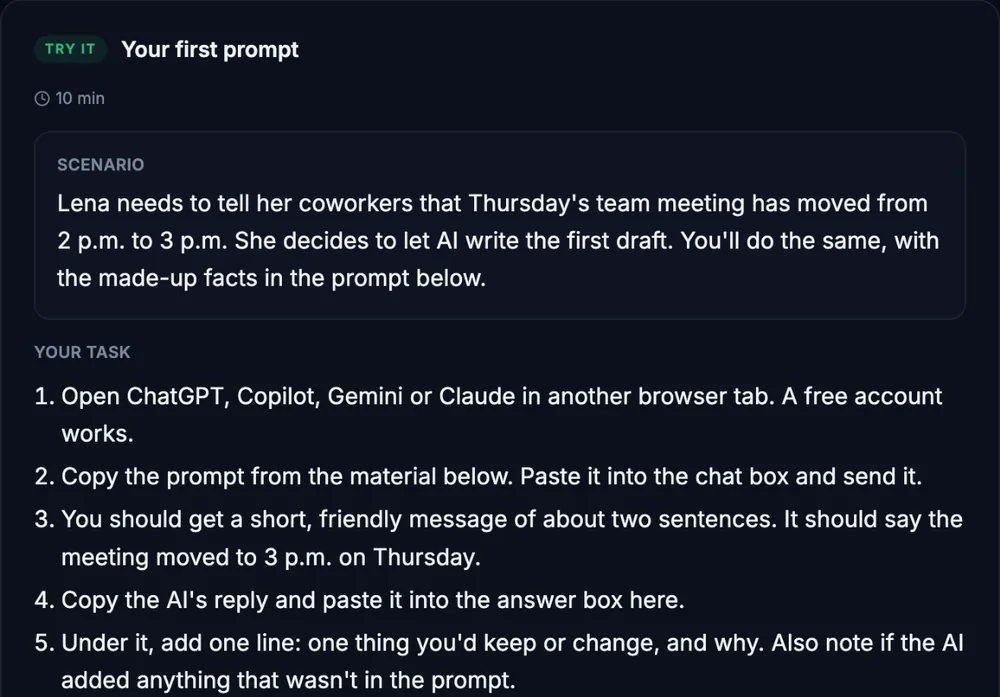
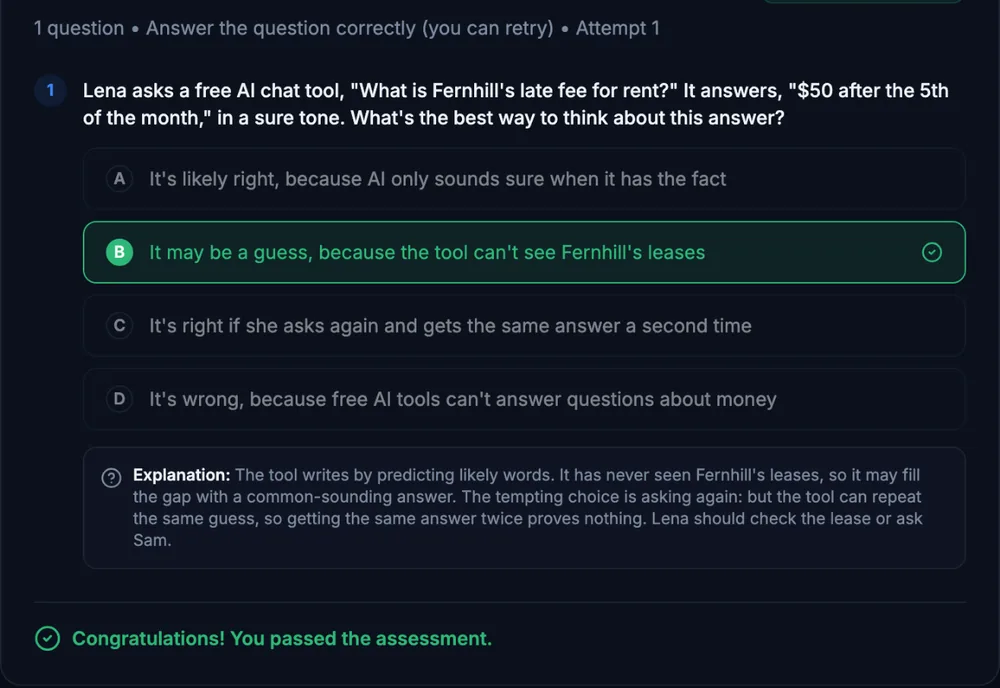
Course outline
Module 1: Beyond the Chat Box
- Your AI Is More Than a Chat Box (free preview)
- Chats vs. Projects: Give AI a Reference Shelf
- Artifacts, Writing Blocks, and Documents
- Guided Check: Pick the Right Building Block
Module 2: Make It Yours, Make It Repeatable
- Memory and Custom Instructions: See What You Have Customized
- Skills, Plugins, and Custom GPTs: Package a Repeatable Task
- Connectors and Apps: Let AI Use Your Tools (and When Not To)
Module 3: AI That Works While You Are Away
- Scheduled Tasks and Sending Work from Your Phone
- Guided Check: Five Questions for Any AI Helper
- Your First AI Employee: The Context Keeper
Module 4: Design It, Practice It, Prove It
- Structured Simulation: Design a Small AI Employee on Paper
- Final Practice Exercise: Map the Workspace and Hire Your First AI Employee
- Final Knowledge Check
Start with the free preview lessons, no account required. Questions about buying