All courses · Practical Applications · General
AI for HR and Operations: Safe Everyday Uses
AI for HR and Operations: Safe Everyday Uses is a self-paced AIvanced Academy course (12 lessons, 3h 27m).
Use AI for the everyday paperwork of hiring, onboarding, policies and operations, without putting your people's private information or job decisions at risk.
- Length: 3h 27m
- 12 lessons in 4 modules
- Level: Beginner
- Certificate of completion
- Price: $19.99 one-time, lifetime access
Also included with Academy Membership ($29.99/month or $249.99/year) and with a Teams plan. See pricing
About this course
You run the office, and you also "do HR." AI can save you a lot of time on job posts, interview questions, welcome letters, handbook drafts, step-by-step guides and vendor emails. It can also cause real harm if private records go into a chat, or if a tool ends up making decisions about people. This course shows you where AI helps at the HR desk, what stays out, and where a person must decide.
You will learn one simple label set (Go, Ask first, Stop) and a short checklist for what belongs in an AI chat. Then you will practice the everyday jobs: fair job posts, interview kits with a scorecard, a safe way to screen resumes, onboarding checklists, plain-language policies, step-by-step guides, schedules, vendor emails and quick training cards. You will also practice what to do when a tool flags a worker: check the facts, explain the decision and tell people. You finish by building your own HR Desk Toolkit and a one-page set of AI rules for your office.
Every exercise uses one made-up company, Cobblefern Cabinet Co., with made-up data, a copy-ready prompt, a model answer and a way to finish it with no AI tool at all.
What you need: any AI chat assistant, such as ChatGPT, Microsoft Copilot, Google Gemini or Claude. Free plans work for every exercise. Real employee information only goes into a tool your company has approved for it, and only if your policy allows it. Not sure? Ask your HR lead, owner or IT contact, and keep practicing with the made-up data. You are the HR person? Then "Ask first" means the owner, your outside HR consultant or employment lawyer, or the HR help line from your payroll provider, if it has one. No AI tool at all? Every exercise has a path without one.
Not legal advice: This course is general education, not legal advice. Laws differ by state and city and change often. Check with your HR professional or lawyer. Law names and dates are kept in one place, the course's Rules Reference Guide, dated October 2026.
Before you start: this course is for beginners. If you're new to AI, "AI Foundations: Understanding Today's AI Tools" is a good first step. "AI for Managers and Team Leaders", "Write Your Company's AI Policy" and "AI Privacy, Safety, and Responsible Use" pair well with this course.
Topics: hr, human resources, operations, small business, hiring, job posts, interviews, onboarding, policies, employee privacy, human approval, fact-checking
What you'll learn
- Sort HR and office tasks into Go, Ask first and Stop, and explain why.
- Check any request against four questions before it goes into an AI chat, and rewrite it without private records.
- Draft a clear, fair job post and a structured interview kit with a simple scorecard.
- Turn a risky resume-screening plan into a safe one where a person reads and decides.
- Build onboarding checklists, plain-language policy drafts and step-by-step guides from your own facts, with [CHECK] marks where a person must confirm.
- Use AI for quick schedules, vendor emails and one-page training guides without pasting private details.
- When a tool flags a worker, check the facts, explain the decision in your own words and tell people as your policy requires.
- Build your own HR Desk Toolkit and a one-page AI rules sheet for your office.
What a lesson looks like
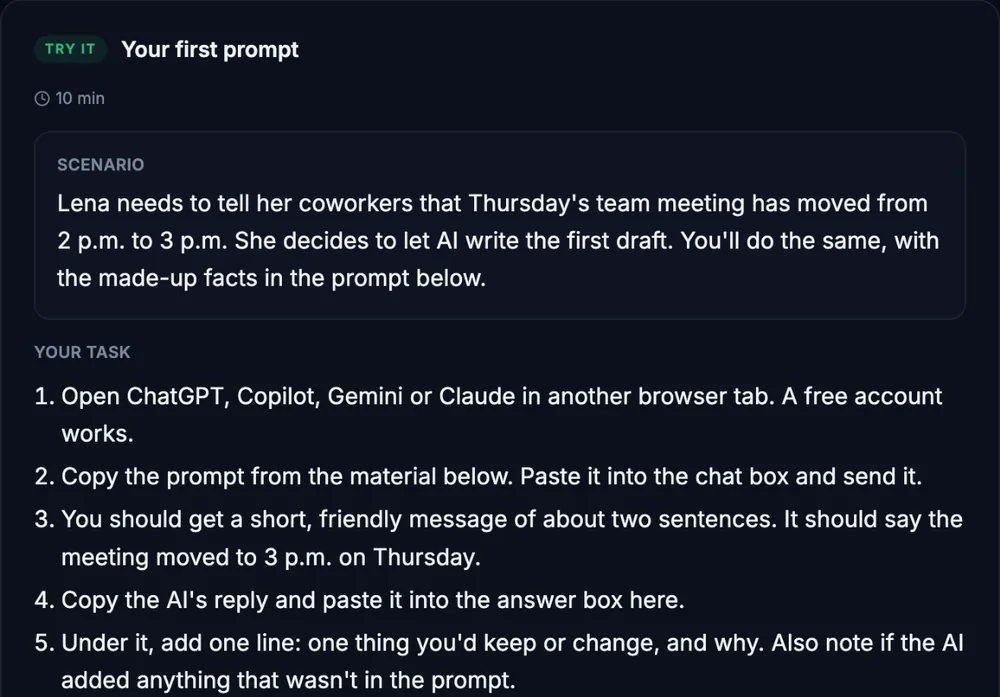
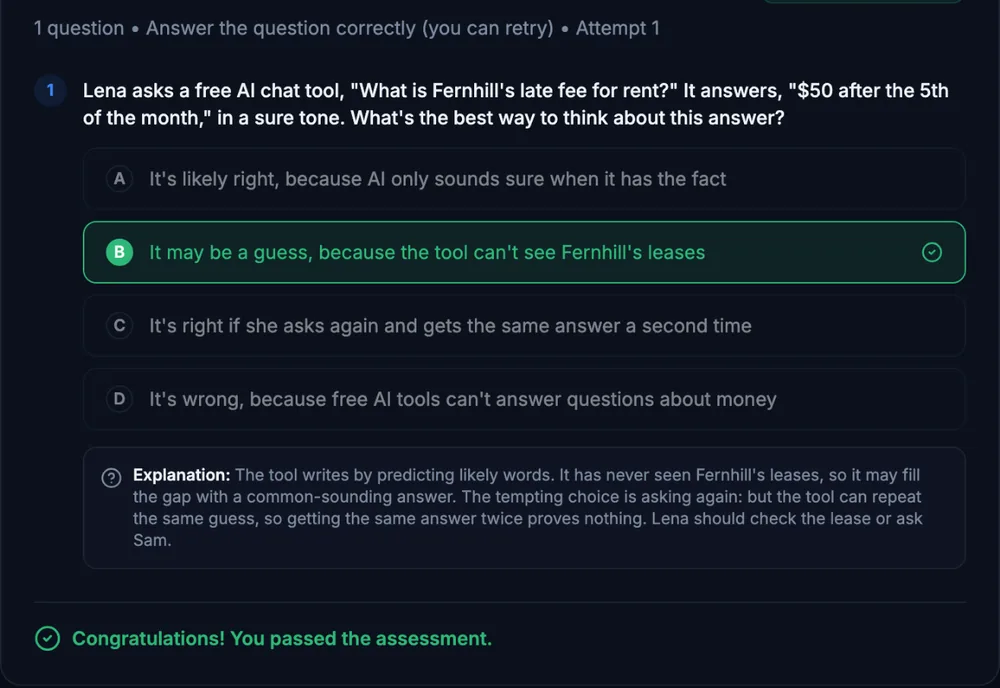
Course outline
Module 1: Ground Rules for the HR Desk
- AI at the HR Desk: What Helps and What Stays Out (free preview)
- Guided Check: Does This Belong in the Chat?
Module 2: Hiring Without the Risk
- Job Posts That Are Clear and Fair
- Interview Questions and Scorecards
- Guided Check: Screening Resumes the Safe Way
Module 3: Onboarding, Policies and Operations
- Onboarding Packets and First-Week Checklists
- Handbook and Policy First Drafts
- SOPs and Process Docs That People Actually Follow
- Schedules, Vendor Emails and Quick Training Guides
Module 4: People Decisions and Your Toolkit
- Structured Simulation: The Low-Productivity Flag
- Final Practice Exercise: Your HR Desk Toolkit
- Final Knowledge Check
Start with the free preview lessons, no account required. Questions about buying