All courses · Practical Applications · Multiple
AI for Data Analysis: Clean, Analyze and Explain Your Numbers
AI for Data Analysis: Clean, Analyze and Explain Your Numbers is a self-paced AIvanced Academy course (12 lessons, 3h 30m).
Use AI to clean a messy spreadsheet, summarize it, pick the right chart and explain it in plain words, then check every number before you share it.
- Length: 3h 30m
- 12 lessons in 4 modules
- Level: Intermediate
- Certificate of completion
- Price: $24.99 one-time, lifetime access
Also included with Academy Membership ($29.99/month or $249.99/year) and with a Teams plan. See pricing
About this course
Someone hands you a spreadsheet and asks, "What does this tell us?" AI can help you clean it, total it, chart it and explain it. It can also miscount rows, add up the wrong group or make up a reason. This course teaches one habit for every step: AI does the math, and you check the math.
You will learn to keep personal details out of AI tools with three labels (keep, swap or drop), ask questions a table can answer, clean messy data with a log, build and check pivot tables, pick the right "typical" number, choose a chart that fits the question, check an AI's summary line by line, and write a short note your manager can act on. You finish with a three-part practice project on new data and a printable Check the Math card.
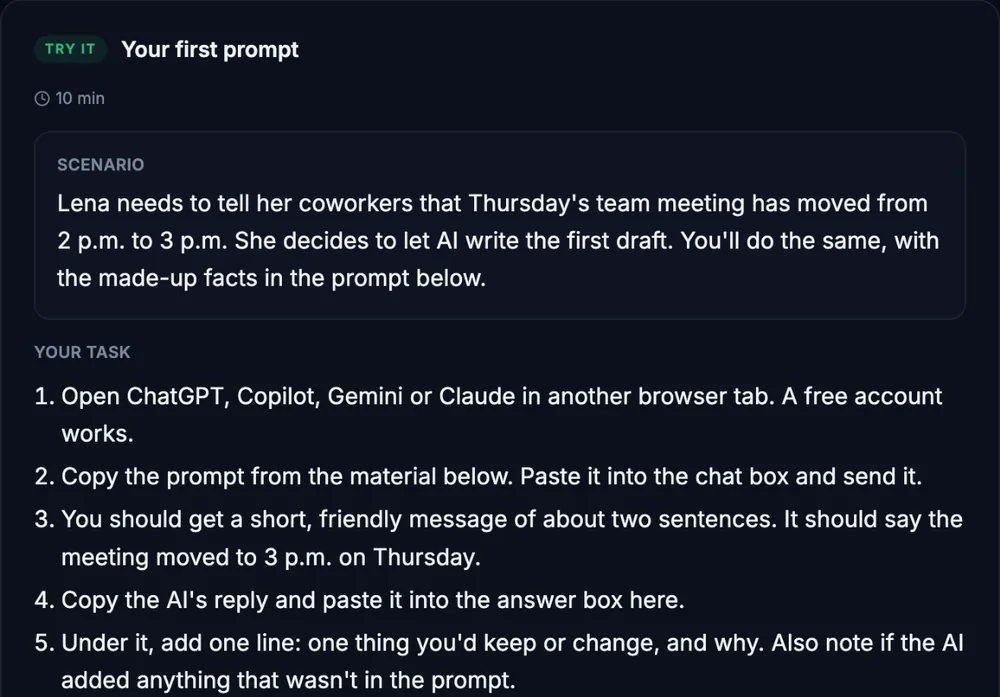
Every exercise uses one made-up business, Wrenfield Garden Supply, with made-up data, a copy-ready prompt, a block that pastes straight into Excel or Google Sheets, a model answer, and a way to finish it with no AI tool at all.
What you need: any AI chat, such as ChatGPT, Claude, Google Gemini or Microsoft Copilot. Free plans work for every exercise, because each table is small enough to paste as text. You also need Excel or Google Sheets to check the math, or a calculator. Built-in tools like Copilot in Excel and Gemini in Google Sheets are a bonus, and some need a paid plan. Real customer or employee data only goes into a tool your company has approved for it. Not sure? Ask your manager or IT contact, and practice with the made-up data.
Before you start: this is an intermediate course. You should be able to paste a table into a sheet, write =SUM and fill it down, sort and filter a column, and describe your sheet to an AI tool. If that's new to you, take AI with Excel: Formulas and Troubleshooting first. AI Privacy, Safety, and Responsible Use pairs well with this course.
Topics: data analysis, excel, google sheets, spreadsheets, pivot tables, charts, data cleaning, averages and medians, fact-checking, reports, privacy, small business
What you'll learn
- Label every column keep, swap or drop before any data goes into an AI tool.
- Turn a vague request into a data question with a number, a group, a time and a comparison.
- Have AI plan a cleanup, keep a cleaning log, and reconcile the totals before and after.
- Build a pivot table three ways and check it with =SUM, =SUMIFS and =COUNTIFS.
- Report a typical number with the median, and handle outliers without deleting real data.
- Choose a chart that fits the question, and check it before it goes in a report.
- Check an AI's summary line by line, and find the cause of any wrong number.
- Write a short, plain-language summary where every number has a home.
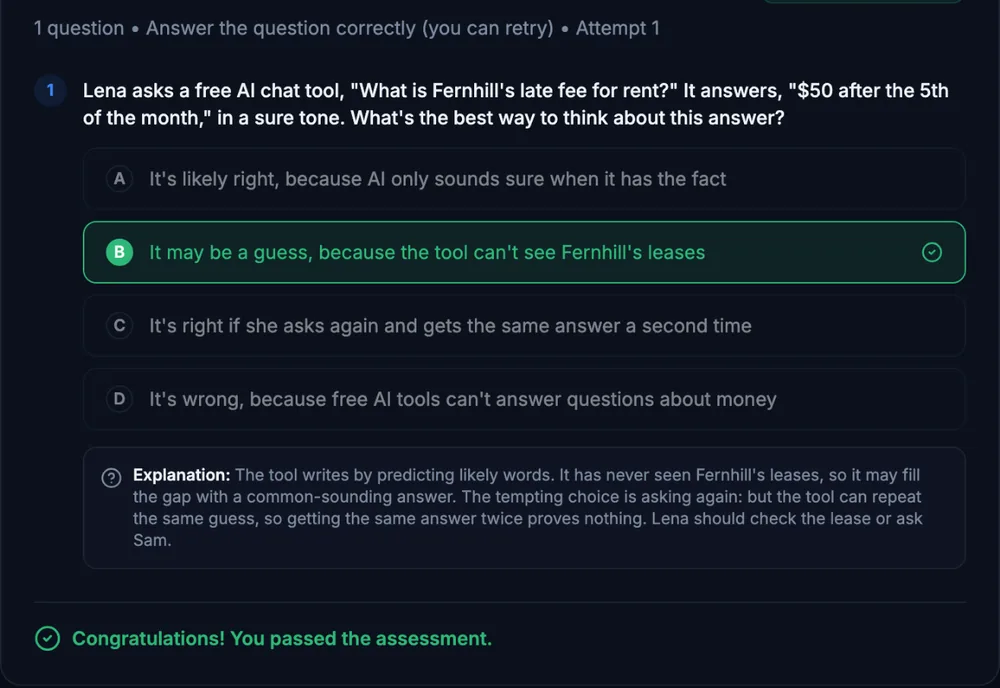
What a lesson looks like
Course outline
Module 1: Before You Open the Data
- Start Here: What AI Can and Can't Do With Your Numbers (free preview)
- Guided Check: Keep, Swap or Drop Before You Share Data
- Ask Better Questions of Your Data
Module 2: Clean It, Then Count It
- Clean Messy Data: Duplicates, Names and Dates
- Summaries and Pivot Tables
Module 3: Read the Numbers Right
- Averages, Medians and Outliers in Plain Words
- Pick the Right Chart
- Guided Check: Is the AI's Answer Right?
Module 4: Explain It and Put It Together
- Write a Plain-Language Summary for Your Manager
- Structured Simulation: Curtis's Sunday Question
- Final Practice Exercise: Wrenfield's October Deliveries
- Final Knowledge Check
Start with the free preview lessons, no account required. Questions about buying