All courses · Practical Applications · General
AI for Content and Copy
AI for Content and Copy is a self-paced AIvanced Academy course (12 lessons, 3h 29m).
Use AI to write a whole campaign that works together: landing page, blog post, emails, social posts, ads, and review replies, all aimed at one goal. You leave with a finished, checked campaign kit.
- Length: 3h 29m
- 12 lessons in 4 modules
- Level: Beginner
- Certificate of completion
- Price: $19.99 one-time, lifetime access
Also included with Academy Membership ($29.99/month or $249.99/year) and with a Teams plan. See pricing
About this course
AI can draft a blog post, an email, or an ad in seconds. The hard part is making every piece true, on-brand, and aimed at the same goal. This course shows you how, one channel at a time, with one connected campaign.
You start with one objective and a one-page campaign brief. Then you write an article without the "AI voice," a three-email sequence, social posts and a short video script, search ad variants within the character limits, and a landing page. You also write Google Business Profile posts and replies to customer reviews. An optional example covers AI-written product listings in Google Merchant Center, for people who sell on Google Shopping. Then you repurpose one strong piece into many, make your content accessible, and test AI variants fairly.
The course follows a fictional coffee shop, Cinder Cove Coffee, as it tries to get 200 sign-ups for its Fall Tasting Night. A business-to-business box follows Marrowgate Payroll on LinkedIn. A starter kit with the brand brief, the event details, a sample product feed row, and three sample reviews is included, so you do not need any other course.
What you need: any AI assistant, such as ChatGPT, Claude, Gemini, or Copilot. A free plan is fine. Everything is text only. No store, ad account, website, or Business Profile is required.
Your project: a connected campaign kit (landing page, blog post, 3 emails, 5 social posts, 3 ad variants, and replies to 3 reviews) for Cinder Cove or your own business. It includes evidence that you evaluated your own AI output, one decision you explain, and one limitation you state. You check it yourself against a six-part rubric before you submit. Plan on about 60 to 90 minutes for the project. Working pros can add team templates and a content calendar with an approval step.
To earn your certificate, complete every lesson, submit the final practice exercise, and score at least 75% (6 of 8) on the Final Knowledge Check.
For beginners who finished AI for Marketing Foundations or know the basics, and for working marketers who want a faster, safer content workflow. It is step 2 in the AI for Marketers path.
Not legal advice. This course explains common marketing rules in plain language so you know when to slow down and check. It is not legal advice. Rules differ by country, state, industry, and platform, and they change often. Before you rely on a rule for a real campaign, check the current version at the source, and ask a qualified lawyer about anything important.
Topics: marketing, copywriting, content marketing, email, social media, ad copy, landing pages, google business profile, reviews and endorsements, accessibility, a/b testing
What you'll learn
- Write a one-page campaign brief with one objective, and use it to keep every AI draft aimed at the same goal.
- Draft articles with AI that add original insight, and explain how Google treats AI content and scaled content abuse.
- Write an email sequence, social posts, and a short video script from one brief, with safe personalization and honest subject lines.
- Write search ad variants within the platform's character limits, and check every claim for proof.
- Draft a landing page that matches your ads and emails, and know when AI-written product listings need Google's AI labels (an optional Merchant Center example).
- Write Google Business Profile posts and review replies with AI help, without review incentives or review gating.
- Repurpose one piece into many, make content accessible (alt text, captions, plain language, other languages), and test AI variants fairly.
What a lesson looks like
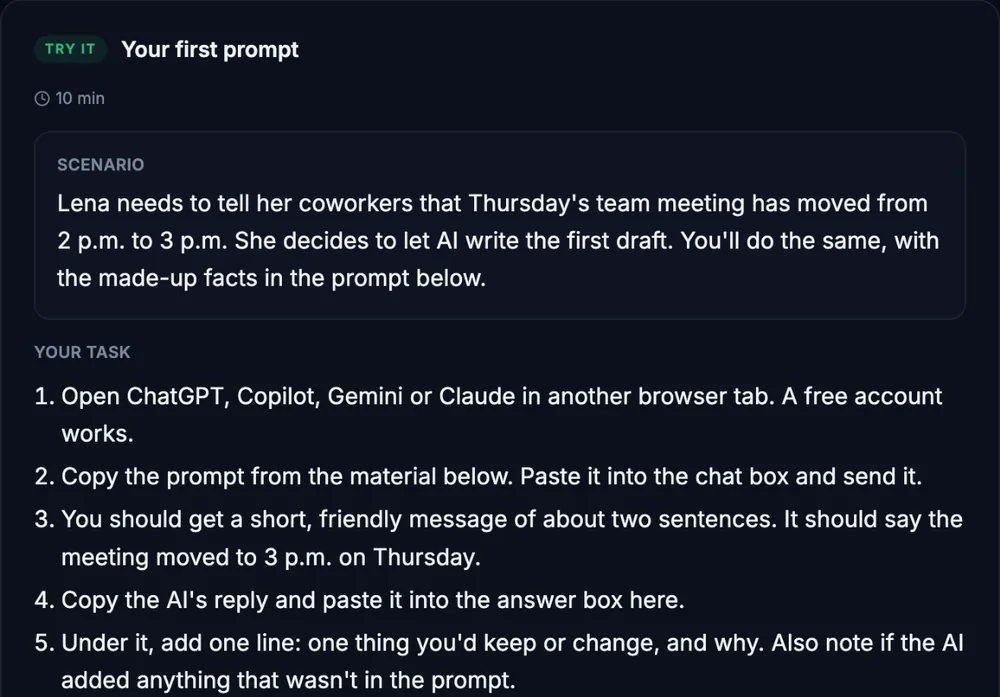
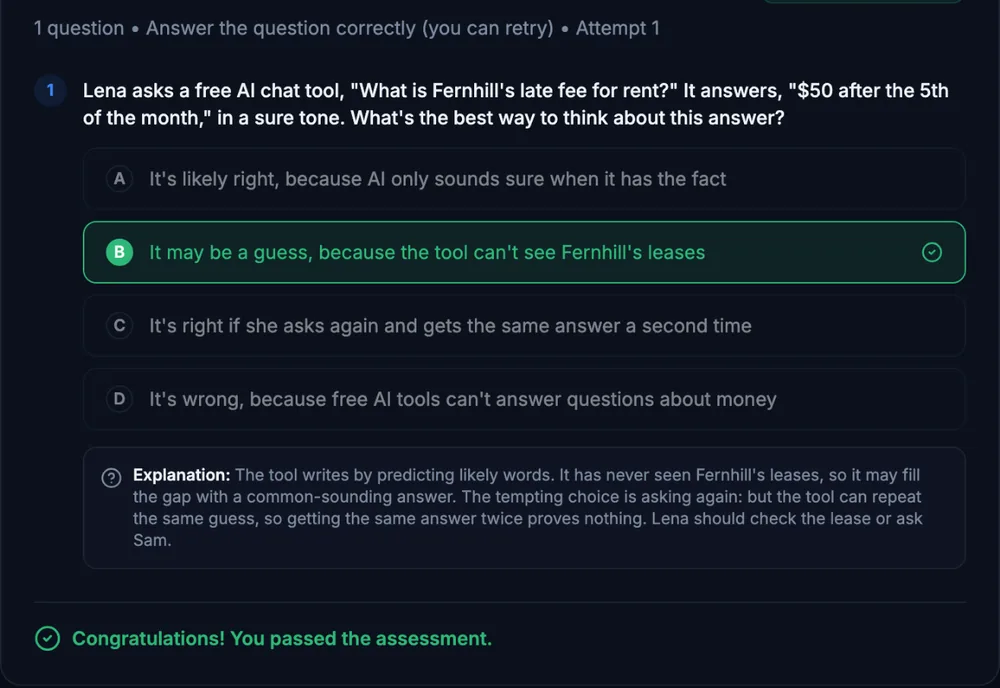
Course outline
Module 1: From Brief to Draft
- One Objective, One Campaign Brief (free preview)
- Articles Without the "AI Voice"
Module 2: Channel by Channel, Same Campaign
- Email Campaigns
- Social Posts and Short Video Scripts
- Ad Copy Within the Limits
- Landing Page and Product Copy, with a Merchant Center Example
- Local Marketing: Business Profile Posts and Review Replies
Module 3: Quality at Scale
- Repurposing: One Strong Piece Becomes Ten
- Accessible Content: Alt Text, Captions, Plain Language, Other Languages
- Testing AI Variants Fairly
Module 4: Put It Together
- Final Practice Exercise: Your Connected Campaign Kit
- Final Knowledge Check
Start with the free preview lessons, no account required. Questions about buying